
QuickBooks is the financial backbone of a well-run HVAC business, providing the job costing, invoicing, cash flow visibility, and reporting that owners need to stay profitable and in control. The role of QuickBooks in an HVAC business goes well beyond basic bookkeeping. When configured correctly and paired with the right field service management (FSM) software, QuickBooks becomes a decision-making tool, not just a recordkeeping system. HVAC contractors who use QuickBooks Online Plus with a properly built chart of accounts and integrations with platforms like ServiceTitan, Housecall Pro, or Sera gain real-time financial clarity that most of their competitors simply do not have. The difference between an HVAC owner who knows their numbers and one who guesses is almost always a properly set up accounting system.
How QuickBooks features benefit HVAC financial workflows
QuickBooks Online Plus is the minimum plan recommended for HVAC contractors because it includes job-tracking features that lower-tier plans like Simple Start and Essentials do not offer. This matters because HVAC businesses live and die by job-level profitability. Knowing your gross margin on a residential AC replacement versus a commercial HVAC maintenance contract is the difference between pricing confidently and guessing.
Job costing and project profitability
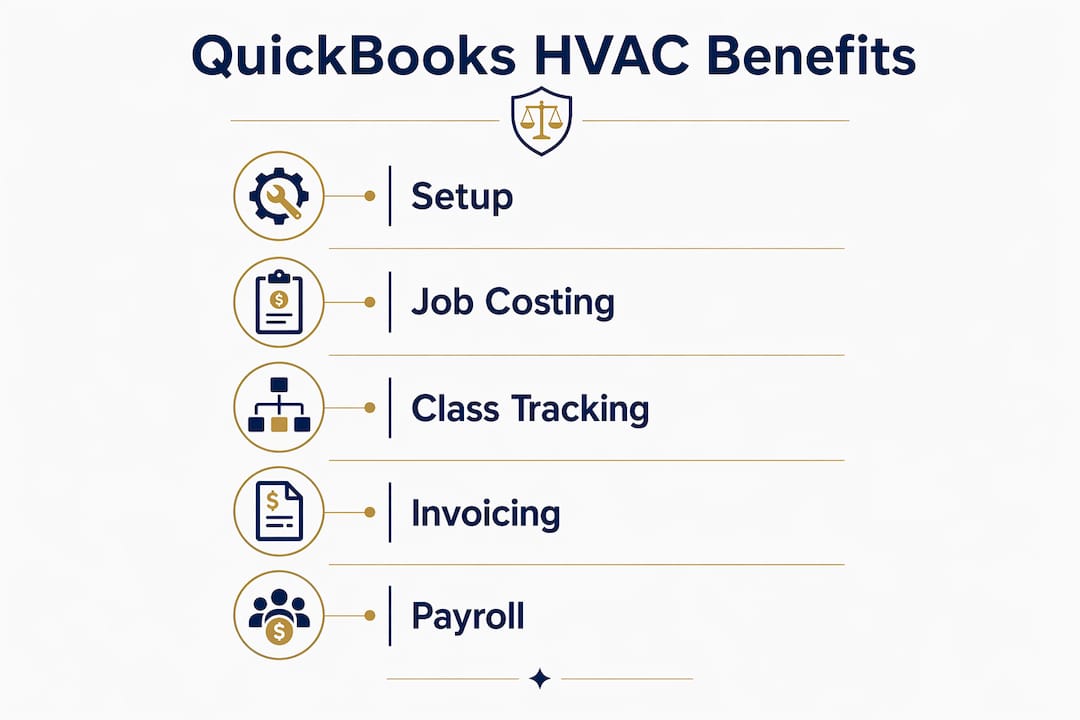
The Projects feature inside QuickBooks Online Plus lets you assign revenue, labor, materials, and subcontractor costs to individual jobs. You can see at a glance whether a specific install, service call, or maintenance agreement is making money. Projects and class tracking in QuickBooks Online Plus segment revenue and monitor job profitability in real time, which is exactly what a growing HVAC shop needs to make smart pricing and staffing decisions.

Class and location tracking
Class tracking lets you separate commercial jobs from residential jobs inside the same QuickBooks file. Location tracking lets you monitor performance across multiple service areas or branches. For an HVAC business running both a residential service division and a commercial maintenance division, this separation is not optional. It is the only way to know which side of the business is actually profitable.
Invoicing, expenses, and payroll
QuickBooks automates recurring invoices for maintenance agreements, which saves your office staff hours every month. Expense categorization ties directly to job records, so you always know what each job actually cost. Payroll integration through QuickBooks Payroll or a third-party provider like Gusto keeps technician wages connected to job records, making labor cost tracking far more accurate than a spreadsheet ever could.
Here are the core QuickBooks features HVAC businesses use most:
- Job costing via Projects: Tracks revenue, labor, and materials per job for real-time profitability data
- Class and location tracking: Segments commercial vs. residential and multi-location operations
- Recurring invoicing: Automates billing for maintenance agreements and service contracts
- Expense management: Categorizes parts, materials, and subcontractor costs to specific jobs
- Financial reporting: Profit and loss by class, job, or location gives owners a clear picture of where money is made and lost
- Payroll integration: Connects technician wages to job records for accurate labor cost tracking
Pro Tip: Build your chart of accounts before you enter a single transaction. A custom chart of accounts with direct costs, indirect costs, and G&A expenses separated from the start is critical for HVAC contractors to get accurate financial insights. Fixing a messy chart of accounts after the fact costs months of cleanup work.
Common mistakes HVAC businesses make with QuickBooks
The most expensive QuickBooks mistake an HVAC owner makes is buying the wrong plan. Simple Start and Essentials do not include job tracking or class tracking, which means you are paying for accounting software that cannot tell you whether your jobs are profitable. QuickBooks Online Plus at $115 per month is the correct starting point for any HVAC contractor running more than one or two jobs per week.
The second most common mistake is misclassifying subcontractor costs. IRS rules require subcontractors to be reported as Contract Labor on Schedule C, not as Cost of Goods Sold. Mapping subcontractors to COGS instead of Contract Labor creates audit risk and distorts your gross margin reporting. Many HVAC owners do not discover this error until tax season, and by then the cleanup is painful.
Here are the most damaging QuickBooks mistakes HVAC businesses make, in order of impact:
- Buying the wrong plan tier. Simple Start and Essentials lack job tracking. You need QuickBooks Online Plus at minimum to run a proper HVAC accounting system.
- Misclassifying subcontractor costs. Booking subs as COGS instead of Contract Labor creates IRS audit exposure and distorts your job cost reports.
- Skipping a customized chart of accounts. Using QuickBooks’ default chart of accounts means your financial reports will not reflect how an HVAC business actually operates.
- Relying on QuickBooks alone for field operations. QuickBooks handles accounting. It does not handle dispatch, scheduling, or mobile invoicing. Trying to force it into that role creates gaps.
- Ignoring monthly reconciliations. Skipping bank and credit card reconciliations for even two or three months creates errors that compound and take significant time to unwind.
Pro Tip: Work with a CPA or bookkeeper who understands HVAC-specific cost classifications before you set up your QuickBooks file. Getting the structure right from day one is far cheaper than paying for a QuickBooks cleanup six months later.
Does QuickBooks integrate with HVAC field service software?
QuickBooks does not include built-in field service management features, so pairing it with a dedicated FSM platform is the standard approach for HVAC businesses with more than one or two technicians. QuickBooks lacks integrated FSM features, which is why platforms like ServiceTitan, Housecall Pro, and Sera exist specifically to fill that gap.
The integration between QuickBooks and FSM software works through a bidirectional sync. Bidirectional sync with QuickBooks Online covers customers, invoices, payments, and employees or vendors, which means data entered in the field flows directly into your accounting records without manual re-entry.
What a true integration actually does
A real QuickBooks integration with an FSM platform does more than push invoices. True QuickBooks compatibility automates invoice transfer, payment recording, customer creation, and service item creation. Without that level of automation, your office staff ends up doing double data entry, which wastes time and introduces errors that show up as reconciliation problems at month-end.
Comparing popular FSM platforms and their QuickBooks compatibility
| FSM Platform | QuickBooks Integration | Best For |
|---|---|---|
| ServiceTitan | Bidirectional sync, invoices, payments, customers | Larger HVAC operations with complex dispatch needs |
| Housecall Pro | Two-way sync, invoices, payments, customer records | Growing HVAC shops with 2 to 10 technicians |
| Sera | Deep QuickBooks sync, job costing focus | HVAC businesses prioritizing profitability tracking |
| Jobber | One-way and two-way sync options | Smaller HVAC and home service businesses |
The practical benefit of a well-configured integration is faster month-end closing. When invoices, payments, and customer records sync automatically, your bookkeeper spends less time chasing data and more time reviewing reports. For HVAC operational efficiency, that speed translates directly into better cash flow visibility and faster decisions.
Key benefits of pairing QuickBooks with FSM software:
- Eliminates manual double entry between field and office systems
- Keeps customer records consistent across both platforms
- Syncs payments in real time so your cash position is always current
- Reduces month-end closing time from days to hours
- Gives technicians mobile invoicing capability without disrupting accounting records
One important caution: selective data sync matters. Pushing every line item from your FSM platform into QuickBooks without a clear mapping strategy creates reconciliation headaches. Work with someone who understands both systems before you connect them.
Choosing the right QuickBooks plan for your HVAC business
The right QuickBooks plan depends on your business size, the number of technicians you run, and how complex your job costing needs are. For solo operators, QuickBooks functions as a lightweight back office, handling invoicing and basic reporting while the owner manages scheduling manually. As dispatch complexity grows with more technicians, the need for a dedicated FSM system alongside QuickBooks becomes clear.
The table below maps common HVAC business scenarios to the appropriate QuickBooks plan and setup:
| Business Size | Recommended Plan | Key Features Needed | FSM Software Needed? |
|---|---|---|---|
| Solo operator, 1 tech | QuickBooks Online Plus | Job tracking, invoicing, basic reporting | Optional |
| Small shop, 2 to 5 techs | QuickBooks Online Plus | Job costing, class tracking, payroll integration | Recommended |
| Growing shop, 6 to 15 techs | QuickBooks Online Plus or Advanced | Projects, class/location tracking, advanced reporting | Required |
| Established operation, 15+ techs | QuickBooks Online Advanced | Custom reporting, batch invoicing, dedicated account manager | Required |
QuickBooks Online Advanced adds features like custom fields, batch invoicing, and priority customer support. For most HVAC contractors under $3 million in annual revenue, Plus is sufficient. The jump to Advanced makes sense when your reporting needs outgrow Plus or when you need more user seats.
Scaling your QuickBooks setup as your business grows means revisiting your chart of accounts, class structure, and integration settings at least once a year. What works for a two-technician shop will not give you the visibility you need at ten technicians. Choosing the right accounting software from the start prevents the costly rework that comes from outgrowing a system you set up too simply.
Intuit Intelligence inside QuickBooks Online automates certain bookkeeping tasks, but HVAC businesses must configure accounts correctly and use the right plan tier to get any real benefit from that automation. Automation built on a poorly structured chart of accounts produces faster wrong answers, not better insights.
The most important configuration decision you make is your chart of accounts. Direct costs like parts, materials, and subcontractor labor belong in one section. Indirect costs like vehicle expenses and tool maintenance belong in another. General and administrative expenses like office rent and software subscriptions belong in a third. That separation is what makes your profit and loss statement actually useful for running the business.
Key takeaways
QuickBooks works for HVAC businesses when it is configured correctly, paired with the right FSM software, and maintained with monthly discipline.
| Point | Details |
|---|---|
| Use QuickBooks Online Plus at minimum | Lower-tier plans lack job tracking and class tracking, which are non-negotiable for HVAC profitability. |
| Build your chart of accounts first | Separating direct costs, indirect costs, and G&A before entering transactions is the foundation of accurate reporting. |
| Pair QuickBooks with FSM software | QuickBooks handles accounting; platforms like ServiceTitan, Housecall Pro, or Sera handle dispatch and field operations. |
| Classify subcontractors correctly | IRS rules require Contract Labor classification for subs, not COGS, to avoid audit risk and distorted margins. |
| Reconcile every month | Monthly bank and credit card reconciliations prevent compounding errors that become expensive to fix. |
What I’ve learned from working with HVAC businesses and QuickBooks
After more than 20 years building and operating service businesses, I can tell you the single biggest financial mistake HVAC owners make is not the wrong software. It is using the right software the wrong way.
I have seen QuickBooks Online Plus set up with the default chart of accounts, no class tracking, and no job costing. The owner had been running the software for two years and had no idea which jobs were profitable. The books were technically “done” every month. They were also completely useless for making decisions.
The fix is not complicated, but it requires discipline. Monthly reconciliations are not optional. A customized chart of accounts is not optional. Correct subcontractor classification is not optional. These are the basics, and they matter more than any software feature.
I also want to push back on one common piece of advice: do not buy complex FSM software before your business volume justifies it. A solo operator or a two-technician shop does not need ServiceTitan. They need QuickBooks Online Plus set up correctly and a simple process for tracking jobs. Overbuying software creates complexity without benefit. Start with what fits your current size and scale deliberately.
The HVAC businesses I have seen grow consistently are the ones that treat their financial data as a management tool, not a tax requirement. They know their job margins. They know their cash position. They know which service lines are profitable and which are not. QuickBooks, properly configured, gives you all of that. The question is whether you are willing to set it up right and use it consistently.
— Tony
How TrueMeasureAccounting helps HVAC businesses get more from QuickBooks
If your QuickBooks file is a mess, your chart of accounts is a default template, or you have no idea which jobs are actually making money, you are not alone. Most HVAC owners we work with come to us after months of frustration with books that do not reflect reality.
TrueMeasureAccounting specializes in HVAC bookkeeping services built around how your business actually operates. We set up and customize QuickBooks for HVAC contractors, handle monthly reconciliations, build job costing reports, and connect your financial data to real decisions about pricing, staffing, and growth. Whether you need a QuickBooks cleanup, ongoing bookkeeping, or a fractional CFO who understands the trades, we are ready to help. Explore our small business bookkeeping services or contact us to schedule a conversation about your business.
FAQ
What is the best QuickBooks plan for an HVAC business?
QuickBooks Online Plus is the recommended starting point for HVAC contractors because it includes job tracking, class tracking, and project profitability features that lower-tier plans do not offer. Most HVAC businesses under $3 million in annual revenue will find Plus sufficient.
Can QuickBooks handle HVAC job costing on its own?
QuickBooks Online Plus handles job costing through its Projects feature, which tracks revenue, labor, and materials per job. For dispatch, scheduling, and mobile invoicing, you need a dedicated FSM platform like ServiceTitan, Housecall Pro, or Sera connected to QuickBooks.
How do I avoid QuickBooks mistakes as an HVAC contractor?
The three most common mistakes are buying the wrong plan tier, misclassifying subcontractor costs as COGS instead of Contract Labor, and skipping monthly reconciliations. Working with a bookkeeper who understands HVAC cost structures from the start prevents most of these problems.
Does QuickBooks integrate with ServiceTitan or Housecall Pro?
Yes. Both ServiceTitan and Housecall Pro offer bidirectional sync with QuickBooks Online, covering customers, invoices, payments, and service items. A properly configured integration eliminates manual double entry and keeps your accounting records current in real time.
How often should an HVAC business reconcile QuickBooks?
Monthly reconciliation of all bank accounts and credit cards is the standard practice. Skipping even two or three months allows errors to compound, and the cleanup cost in time and money grows quickly the longer reconciliations are delayed.