
Accounting software selection is the process of matching a financial management platform to your specific business workflows, growth trajectory, and cost constraints. For small business owners, choosing the right accounting software is one of the highest-leverage decisions you can make. The wrong platform costs you in wasted time, manual workarounds, and eventually a painful migration. The right one gives you clean books, clear reporting, and the financial visibility to make confident decisions. Platforms like QuickBooks, Xero, and Zoho Books each serve different business profiles, and understanding which fits your operation requires more than reading top-rated accounting software reviews.
How to choose the right accounting software for your business
The most common mistake in software selection is skipping the diagnosis. Before you compare platforms, you need a clear picture of where your current finance process breaks down. Mapping your pain points and defining your requirements is the foundation of any sound selection process.
Start by walking through your current workflow from transaction entry to month-end close. Ask yourself where time gets lost, where errors appear, and where you are still using spreadsheets as a workaround. Common bottlenecks include:
- Invoicing delays caused by manual entry or lack of recurring billing
- Bank reconciliation errors from disconnected data sources
- Reporting gaps where you cannot see profitability by job, customer, or service line
- Approval bottlenecks where there is no workflow to route bills or expenses for sign-off
Once you have mapped the pain, separate your needs into two categories. Must-haves are features without which the software fails your business. Nice-to-haves are capabilities you would use if they were available but would not block adoption. This distinction prevents you from paying for enterprise-grade complexity when a mid-tier platform solves 95% of your problems.
According to a requirements-based selection framework, businesses that score candidate software against a defined requirements matrix make significantly better decisions than those who rely on demos alone. The matrix forces you to name the bottleneck before evaluating the solution.
Pro Tip: Write down your three biggest finance frustrations before you open a single software demo. Those three items become your non-negotiable criteria and save you hours of comparison shopping.
What features to look for in accounting software
Features matter, but only in the context of your business size and where you plan to be in three years. Scalability assessment from day one, using a three-year growth view, prevents the costly platform replacements that derail small businesses.

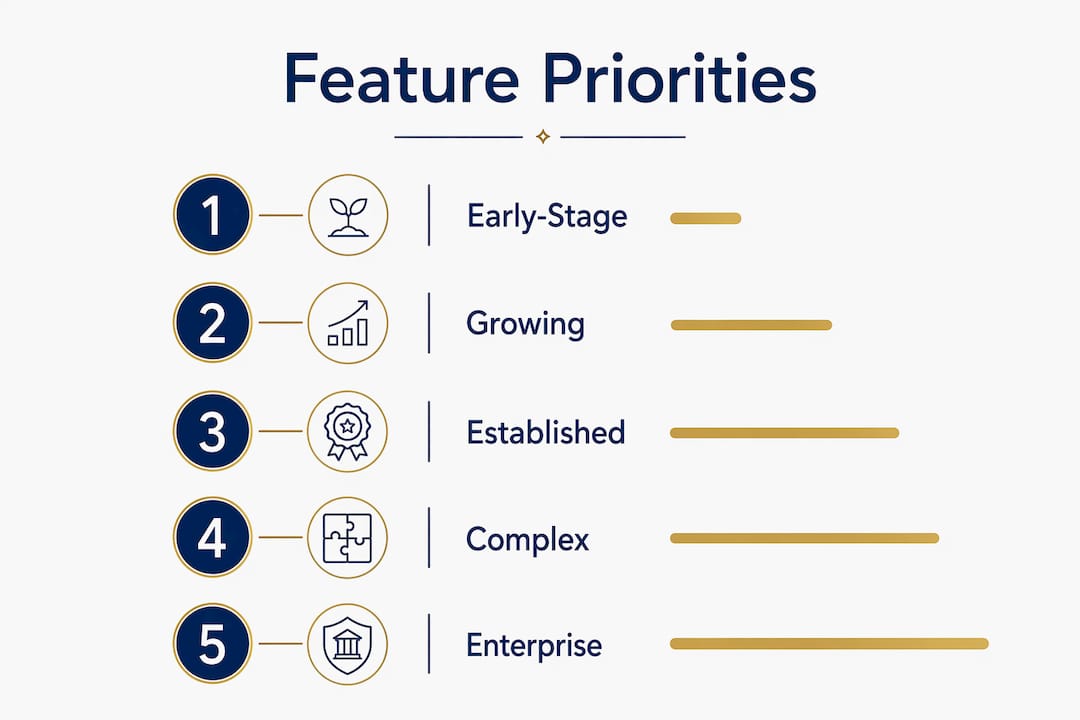
The table below maps business complexity to the features that matter most at each stage.
| Business stage | Critical features to prioritize |
|---|---|
| Early-stage or startup | Invoicing, bank feeds, basic P&L, expense tracking, tax reporting |
| Growing small business | Job costing, payroll integration, multi-user access, cash flow forecasting |
| Scaling or multi-entity | Multi-currency, intercompany workflows, advanced inventory, consolidated reporting |
For most owner-operated businesses in construction, HVAC, trucking, or property management, job costing and project-level profitability reporting are the features that deliver the most financial clarity. QuickBooks Online Advanced and Xero Projects both address this need, though they handle it differently.
Integration capability is equally important. Your accounting platform must connect cleanly to your bank feeds, payroll provider, CRM, and any industry-specific tools you use. Practical evaluation criteria from Intuit QuickBooks include bank and third-party integrations, mobile access, support quality, security controls, and reporting flexibility. A platform that forces manual data entry between systems is not saving you time. It is creating a new bottleneck.
Security and user permissions are features most buyers ignore until something goes wrong. Audit trails and role-based permissions are hard to retrofit after implementation. They need to be validated early in the selection process. If your bookkeeper, office manager, and CPA all need different levels of access, the platform must support that without a workaround.
For businesses with multiple legal entities, multi-entity consolidation and intercompany workflows become critical. Intuit Enterprise Suite targets exactly this mid-market gap between QuickBooks and full ERP systems.
Pro Tip: Ask every vendor to show you their permission settings and audit log during the demo. If they skip past it quickly, that is a signal the controls are limited.
How to evaluate total cost of ownership beyond the subscription price
Subscription pricing is the number most buyers focus on. It is also the least useful number for making a sound financial decision. Total cost of ownership includes license fees, implementation costs, training, internal staff time, and productivity loss during rollout. The real number is often two to four times the annual subscription fee.
Build your cost model across at least three years. Here is the framework:
- License fees: Monthly or annual subscription cost multiplied by the number of users
- Implementation costs: Data migration, chart of accounts setup, and opening balance entry
- Training costs: Time spent by your team learning the new system, including lost productivity
- Integration costs: Developer fees or connector subscriptions for third-party tools
- Support costs: Ongoing vendor support tiers, or fees paid to an external consultant
Implementation effort frequently exceeds the license fee and represents the largest single cost in the total investment. A $50 per month platform that requires 40 hours of your time to configure is not an affordable accounting software option. It is an expensive one when you factor in your hourly value as a business owner.
The implementation partner you choose often matters more than the software itself for total cost and long-term success. A qualified partner reduces setup time, avoids configuration errors, and shortens the productivity loss window. You can review how the process works with a professional accounting firm before committing to a platform.
How do you test and shortlist accounting software effectively?
Testing is where most selection processes fall apart. Buyers watch a polished vendor demo, get impressed by the interface, and sign up without ever running their own data through the system. Wrong software decisions most often arise from mismatched month-end close workflows, not missing features.
Follow this process to validate your shortlist:
- Request a free trial or sandbox environment from your top two or three candidates
- Import or manually enter one month of real transactions from your business
- Run your standard month-end close process inside the platform
- Generate the reports you actually use: P&L by job, cash flow statement, accounts receivable aging
- Test every integration your business depends on, including your bank feed and payroll system
Involve the people who will use the software daily. Your bookkeeper, office manager, and any staff who enter bills or invoices should participate in testing. Their feedback on usability and workflow fit is more reliable than any feature checklist. Automation, integrations, and real-world user roles have a direct impact on finance team efficiency, and that impact only becomes visible during hands-on testing.
During evaluation, also assess vendor support quality. Call or chat with support during your trial period. Ask a specific technical question and measure the response time and accuracy. A platform with weak support becomes a liability the moment something breaks during a tax deadline.
- Check whether onboarding is included or billed separately
- Confirm whether your industry has a certified advisor network for the platform
- Ask for references from businesses in your industry or of similar size
Pro Tip: Run a simulated month-end close during your free trial using your own numbers. If you cannot produce a clean P&L and bank reconciliation within the trial period, the platform is not the right fit for your team.
Key takeaways
Choosing the right accounting software requires matching platform capabilities to your specific workflows, growth plans, and true total cost, not just the monthly subscription price.
| Point | Details |
|---|---|
| Map pain points first | Identify your three biggest finance bottlenecks before evaluating any platform. |
| Prioritize scalability | Assess features against a three-year growth view to avoid a costly platform switch later. |
| Calculate true TCO | Include implementation, training, and internal time costs across at least three years. |
| Test with real data | Run your actual month-end close in every trial environment before making a final decision. |
| Validate security controls | Confirm audit trails and role-based permissions early, as they are difficult to add later. |
What I have learned from watching businesses pick the wrong software
I have worked with hundreds of owner-operated businesses across construction, HVAC, trucking, and property management. The pattern I see most often is not that owners pick bad software. It is that they pick software for the wrong reasons.
Brand familiarity drives a surprising number of decisions. An owner hears QuickBooks at a trade show, signs up the next day, and six months later realizes it is not configured for job costing in their industry. The software was not wrong. The selection process was. No one mapped the workflow first.
Price-driven decisions are the other common trap. An affordable accounting software option that cannot produce a job-level P&L is not affordable if you are running a construction company with 20 active projects. You end up building the reports manually in spreadsheets, which defeats the purpose entirely.
The businesses that get this right share one habit. They treat software selection like a hiring decision. They define the role clearly, interview the candidates with real scenarios, check references, and think about where the business will be in three years. That discipline pays off every month when the books close cleanly and the reports actually tell you something useful.
One more thing worth saying: the software is only as good as the data going into it. I have seen businesses run QuickBooks for five years and still not know if they are profitable by job. The platform was capable. The setup and ongoing bookkeeping were not. Getting the right software and the right support structure in place at the same time is what creates financial clarity.
— Tony
Get the right software and the right support from day one
Choosing a platform is only half the decision. How it gets set up, maintained, and used determines whether it actually improves your financial clarity.
At TrueMeasureAccounting, we help owner-operated businesses select, configure, and maintain accounting software that fits their specific workflows and growth plans. From QuickBooks setup and cleanup to full fractional CFO support, our fixed-price services give you clean books and reports you can act on. We also offer dedicated accounting technology consulting for businesses that need a second opinion before committing to a platform. If you are ready to stop guessing and start making decisions with accurate financial data, we are ready to help.
FAQ
What accounting software is best for small businesses?
QuickBooks Online, Xero, and Zoho Books are the most widely used platforms for small businesses, each suited to different complexity levels and budgets. The best choice depends on your industry, team size, and the specific financial reports you need to run your business.
How do I know what accounting software I need?
Start by listing your current finance pain points, then define the must-have features that would solve them. A requirements matrix that scores each platform against your defined needs produces a far more reliable decision than comparing feature lists alone.
What does accounting software actually cost beyond the subscription?
Total cost of ownership includes the subscription fee, implementation, data migration, training, and internal staff time. These hidden costs often make the real investment two to four times the advertised monthly price.
How long does it take to implement new accounting software?
Implementation timelines range from two weeks for a basic QuickBooks Online setup to several months for a mid-market platform with custom integrations. Working with a qualified implementation partner shortens the timeline and reduces productivity loss during the transition.
When should a small business upgrade its accounting software?
Upgrade when your current platform can no longer produce the reports you need, when manual workarounds are consuming significant staff time, or when your business adds complexity such as multiple entities, job costing requirements, or payroll that the current system cannot handle cleanly.
Recommended
- Outsourced Accounting Software Help | TrueMeasure Accounting
- Automated vs. Human Bookkeeping: Why Your Business Need Both? – TrueMeasure Accounting LLC-Small Business Accounting Services
- Bookkeeping Services for Entrepreneurs | TrueMeasure Accounting
- Financial Reporting Services in Georgia | TrueMeasure Accounting